From Local to Real World Benchmarks

Pierre Tachoire
Cofounder & CTO
TL;DR
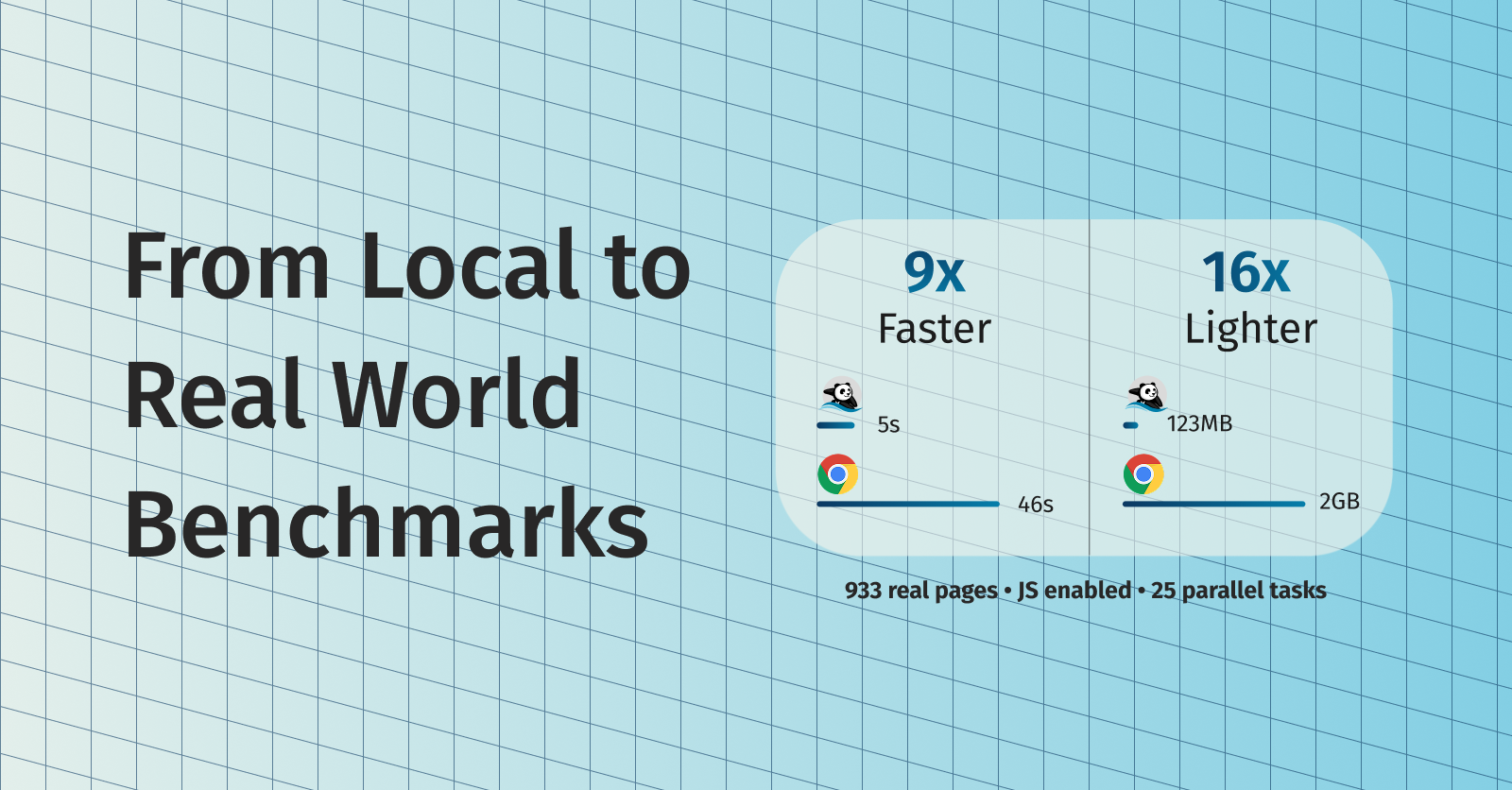
We’ve released a new benchmark that tests Lightpanda against Chrome on 933 demo web pages with JavaScript required. Our previous benchmark ran locally against a synthetic page, which left open questions about real-world performance. The new results show that Lightpanda’s efficiency gains hold up over the network: for 25 parallel tasks, Lightpanda used 123MB of memory versus Chrome’s 2GB (16x), and completed the crawl in 5 seconds versus 46 seconds (9x).
The Questions We Needed to Answer
Since we launched Lightpanda, we never had a great answer for two big challenges we received repeatedly:
- “Network time erases your gains.” Our first benchmark ran locally, which removed network latency. People reasonably asked whether our performance gains would disappear once network requests entered the picture.
- “At scale, you use tabs, not processes.” In production, people typically run Chrome with multiple tabs rather than multiple processes. The concern was that Chrome’s tab-based resource sharing would close the gap at scale.
Fair points. So we built a new benchmark.
Our Original Benchmark
Our first “Campfire e-commerce” benchmark was designed to isolate browser performance from network variability. We serve a fake e-commerce product page from a local web server, then use Puppeteer to load the page and execute JavaScript. The page makes two XHR requests for product data and reviews, mimicking a real dynamic site.
This approach gave us clean, reproducible numbers. By running locally, we measure browser overhead without network noise. The results showed Lightpanda executing 11x faster than Chrome and using 9x less memory.
The New Benchmark
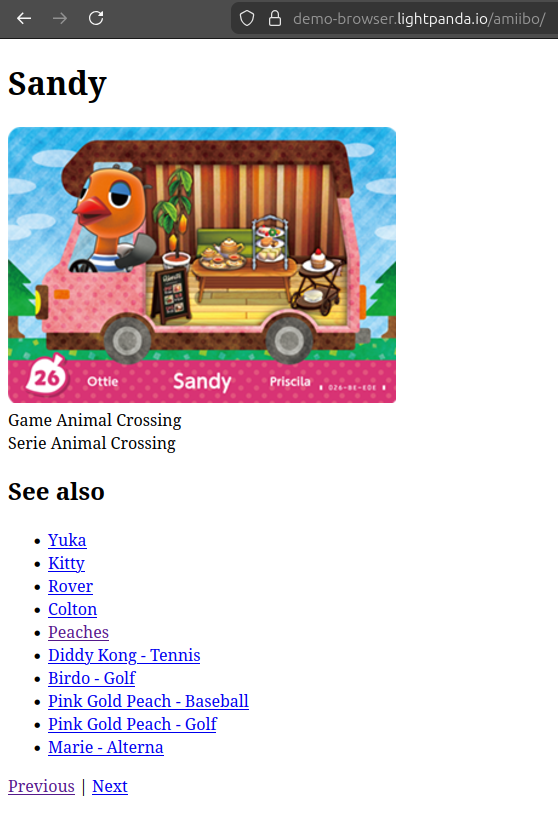
The new “Crawler” benchmark tests against 933 demo web pages with JavaScript required. These pages come from an Amiibo character database and include dynamic content that requires JavaScript to render properly. You can see the difference in the screenshots: with JavaScript disabled, you get placeholder text; with JavaScript enabled, you get the actual character data, image and following links.

We ran both browsers on an AWS EC2 m5.large instance and measured wall-clock time, peak memory usage, and CPU utilization across different levels of parallelism.
For Chrome, we used multiple tabs within a single browser instance, which is how most people run production automation. For Lightpanda, we ran multiple independent processes.
What We Found
We shared the same intuition as the people who raised these questions: we expected the gap to narrow. We thought network latency would dominate total time, making browser overhead less significant. We also thought Chrome’s mature memory management would perform better when juggling many tabs.
The results didn’t match our expectations.
| Configuration | Duration | Memory Peak | CPU |
|---|---|---|---|
| Lightpanda 1 process | 0:51.68 | 27.2M | 11.1% |
| Lightpanda 2 processes | 0:29.79 | 31.7M | 26.6% |
| Lightpanda 5 processes | 0:11.70 | 43.9M | 71.6% |
| Lightpanda 10 processes | 0:06.76 | 63.7M | 135.3% |
| Lightpanda 25 processes | 0:04.81 | 123.0M | 204.7% |
| Lightpanda 100 processes | 0:05.23 | 410.2M | 202.8% |
| Chrome 1 tab | 1:22.83 | 1.3G | 124.9% |
| Chrome 2 tabs | 0:53.11 | 1.3G | 202.3% |
| Chrome 5 tabs | 0:45.66 | 1.6G | 237% |
| Chrome 10 tabs | 0:45.62 | 1.7G | 241.6% |
| Chrome 25 tabs | 0:46.70 | 2.0G | 254% |
| Chrome 100 tabs | 1:09:37 | 4.2G | 229% |
The memory difference remained substantial. For 25 parallel tasks, Lightpanda used 123MB of memory versus Chrome’s 2GB (16x), and completed the crawl in 5 seconds versus 46 seconds (9x).
Chrome’s performance plateaued quickly. Adding more tabs beyond 5 didn’t meaningfully improve completion time, and at 100 tabs, performance degraded significantly. Lightpanda’s performance continued improving with additional processes until around 25.
Why the Gap Persisted
We had assumed network time and using tabs would mask browser overhead, but this oversimplifies what Chrome does.
Chrome uses a multi-process architecture where each tab typically gets its own renderer process containing the V8 JavaScript engine and Blink rendering engine. According to Chromium’s documentation , this architecture enhances stability and security by isolating tabs, but it also means each process consumes its own chunk of RAM .
Lightpanda doesn’t maintain rendering pipelines or compositor threads because we don’t render. When a Lightpanda process is waiting on network I/O, it’s genuinely idle rather than maintaining infrastructure for visual output.
More importantly: Chrome has optimizations for background tabs. It can freeze JavaScript execution and reduce working set size for inactive tabs. But in an automation context where you’re actively loading and processing pages in parallel, these optimizations limit you.
By contrast, each Lightpanda process can run fully in parallel, so you get everything: isolation, speed, and low resource consumption.
Methodology Notes
A few things to keep in mind when interpreting these results:
Different parallelism models. This benchmark compares Lightpanda’s multi-process approach against Chrome’s multi-tab approach. We’re comparing what people actually use in production, but they’re not identical architectures. Lightpanda doesn’t yet support multi-threading (running multiple tabs within a single process). We’re working on that feature and will update the benchmarks when it’s ready.
Single test machine. We ran on an AWS EC2 m5.large instance. Results could vary on different hardware configurations.
You can reproduce these results and examine the methodology in our demo repository: github.com/lightpanda-io/demo .
What’s Next
We’ll continue publishing benchmarks as we add features. Multi-threading support will let us do a more direct comparison of tab-based parallelism. As we improve website compatibility, we’ll test against more diverse page sets.
Pierre Tachoire
Cofounder & CTO
Pierre has more than twenty years of software engineering experience, including many years spent dealing with browser quirks, fingerprinting, and scraping performance. He led engineering at BlueBoard with Francis and saw the same issues first hand when building automation on top of traditional browsers. He also runs Clermont'ech, a community where local engineers share ideas and projects.